How it works
Your whole wardrobe, in one place
In Season helps you see, style, and love what you already own. Here is how it comes together, from first sign-in to a wardrobe that works for you.
 Image coming soon
Set up in seconds
Create your account and start your 15-day free trial. There is nothing to install; In Season runs in your browser on your phone, tablet, or computer.
From the very first moment, your closet is private to you.
 Image coming soon
Take a selfie for your styling notes
Snap a selfie in soft, natural light and the built-in Style feature shows you against different seasonal color palettes to allow you to pick the shades that make you look and feel your best.
Your photo is analyzed right on your device and is never uploaded to us. You now have a personal palette to use when shopping and sorting your closet.
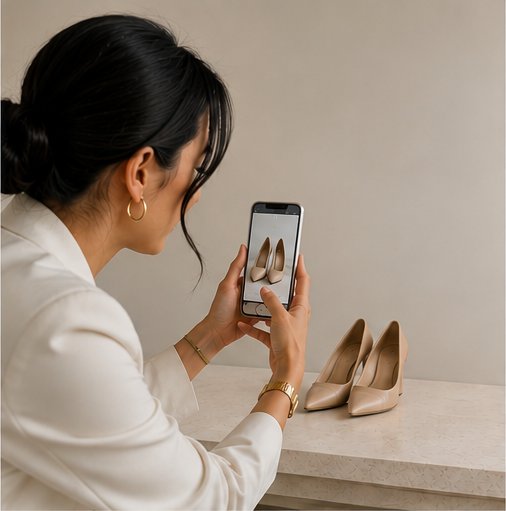 Image coming soon
Photograph what you own
Take a quick photo of each piece. In Season resizes it and tidies up the background, then files it in your Closet with the details that matter: category, brand, fit, and notes.
Most pieces take under a minute to add, so a full 200-piece wardrobe is roughly an hour or two. There is no need to do it in one sitting. Add a handful whenever you have a spare moment, and each entry builds on the last, so your closet fills in over time.
Before long you have your real wardrobe at a glance, searchable by color, brand, or type.
 Image coming soon
Arrange your looks
Build outfits from the pieces you actually own in Looks. A live check tells you when a look is complete, so you can plan for the week, a trip, or an occasion with confidence.
It is the fun of playing dress-up, without pulling everything off the shelf.
 Image coming soon
Keep every find in one place
See something online you love? Save it to Finds, with a link back to the retailer for when you are ready to buy. No more screenshots scattered across your phone, wish lists stranded on a dozen different sites, or carts abandoned and forgotten. Everything you are considering lives in one place, each with a quick link back to buy.
Your finds sit right beside your closet, so you can check whether a piece truly fills a gap before you spend.
Help & tips
Getting the most out of In Season on your phone.
How do I add In Season to my home screen?
Adding In Season to your home screen gives it its own icon and opens it full screen, like any other app. On Android it also lets you share products straight into Finds.
- iPhone or iPad (Safari): open joininseason.com, tap the Share button (the square with an arrow), then tap Add to Home Screen.
- Android (Chrome): open joininseason.com, tap the three-dot menu, then tap Install app or Add to Home screen.
How do I save something I find while shopping?
Open the Finds tab and tap Add a find. Paste the product link into the first box and In Season pulls in the photo, name, brand, and retailer for you. You can also snap or paste your own photo and edit any detail before saving.
How do I copy a product link to paste into Finds?
- On a website: tap the address bar at the top and copy the full web address. Or use the page's own Share button and choose Copy Link.
- In a store's app (like Macy's or Amazon): open the product, tap Share, then Copy Link. Switch to In Season, tap Add a find, and paste.
Can I share straight from a shopping app into Finds?
- Android: yes. First add In Season to your home screen (above). Then in the store's app tap Share and choose In Season. A new find opens with the details filled in.
- iPhone or iPad: Apple does not let apps share into web apps, so tap Share then Copy Link in the store, open In Season, tap Add a find, and paste.
The photo did not come through. What do I do?
Some stores (Walmart is one) block outside sites from reading their photos. When that happens In Season still fills in what it can. Copy the product image and paste it into the find (press Ctrl+V, or tap Paste image), or add your own photo. Everything else can be typed in or corrected on the form.
Wear what's in season for you
Start your free 15-day trial$8.99/month or $79/year. Cancel anytime before your trial ends, at no charge.